On your own, with a coach, or as a team.
Your training, properly kept
Plan your week, record what you actually trained, and see the whole season in your statistics. No coach or club needed.
Coach and athlete, one calendar
Your coach writes your plans, you keep the diary. You both see what happened, and feedback goes straight onto the session.
The whole team at a glance
Coaches plan for everyone with team templates, film technique in slow motion, and see in the weekly summary how every athlete is doing.
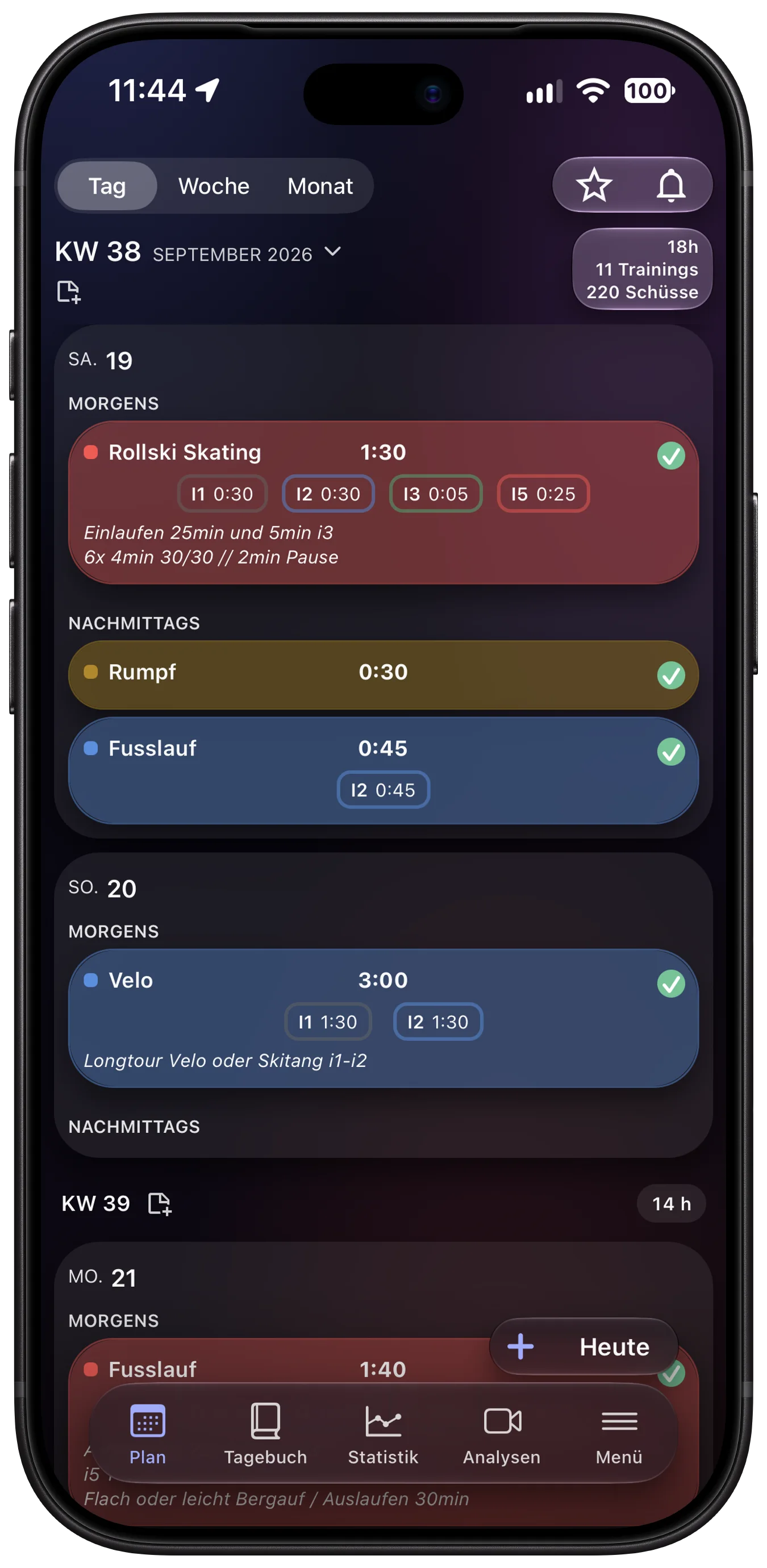
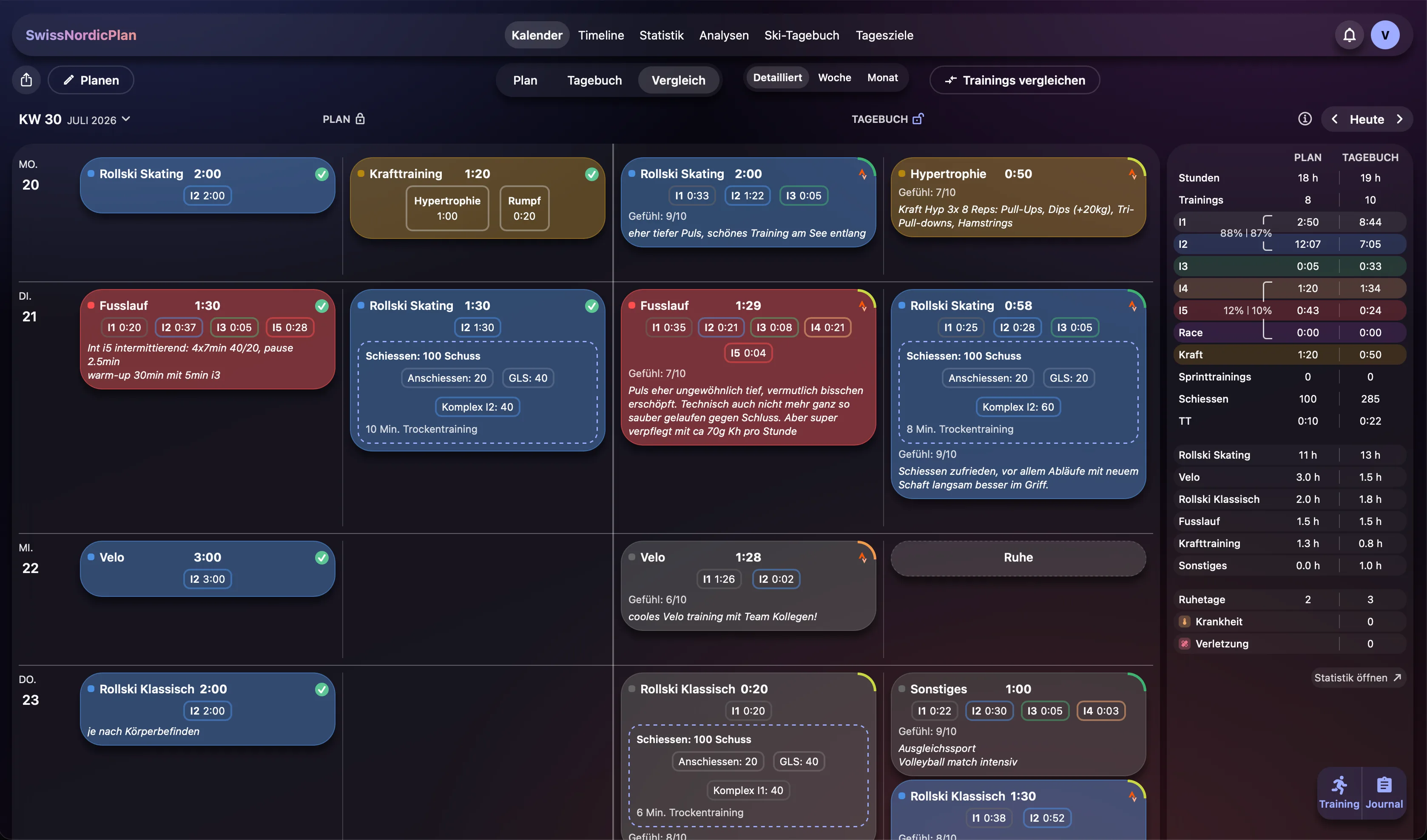
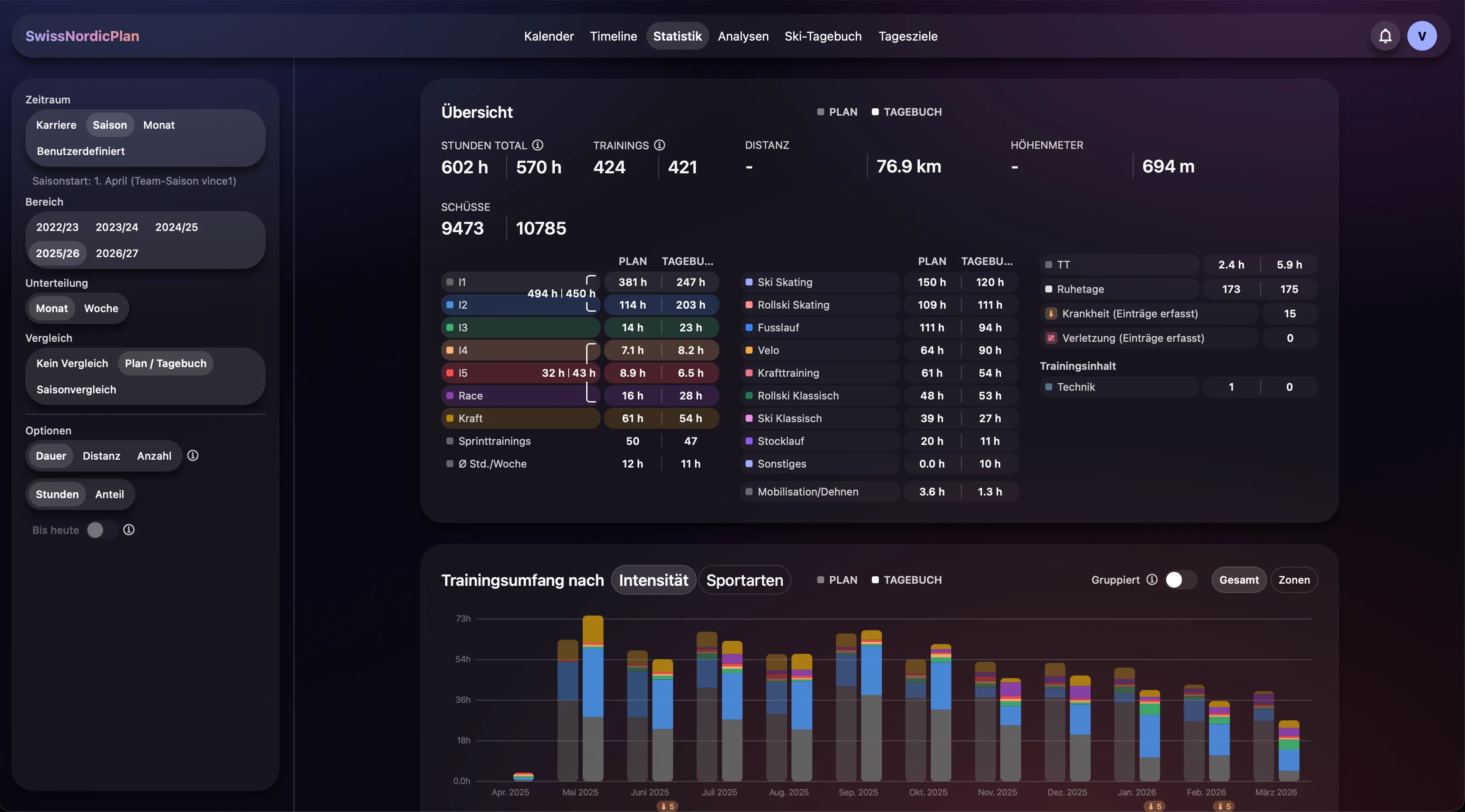
Planned and trained, side by side.
The calendar shows plan and diary for every week. You take over a planned session with one tap, and the comparison shows where you went off plan.
- Five heart-rate zones I1–I5 with your own limits
- Strength by category
- Favorites for sessions you do again and again
- In-app notifications and PDF export
Your watch delivers. You decide.
Connect Strava once, and every recording lands in your diary by itself. In "Check imports" you add Feeling, notes and shooting, and Auto-Stop lets you choose how the duration is counted.
- Strava import with zones, laps and route
- Files from any watch: FIT, GPX, TCX and CSV
- Apple Health: sleep, HRV and resting heart rate every morning
- Import an existing Excel training diary (TTB)
Clear at a glance. Precise in every detail.
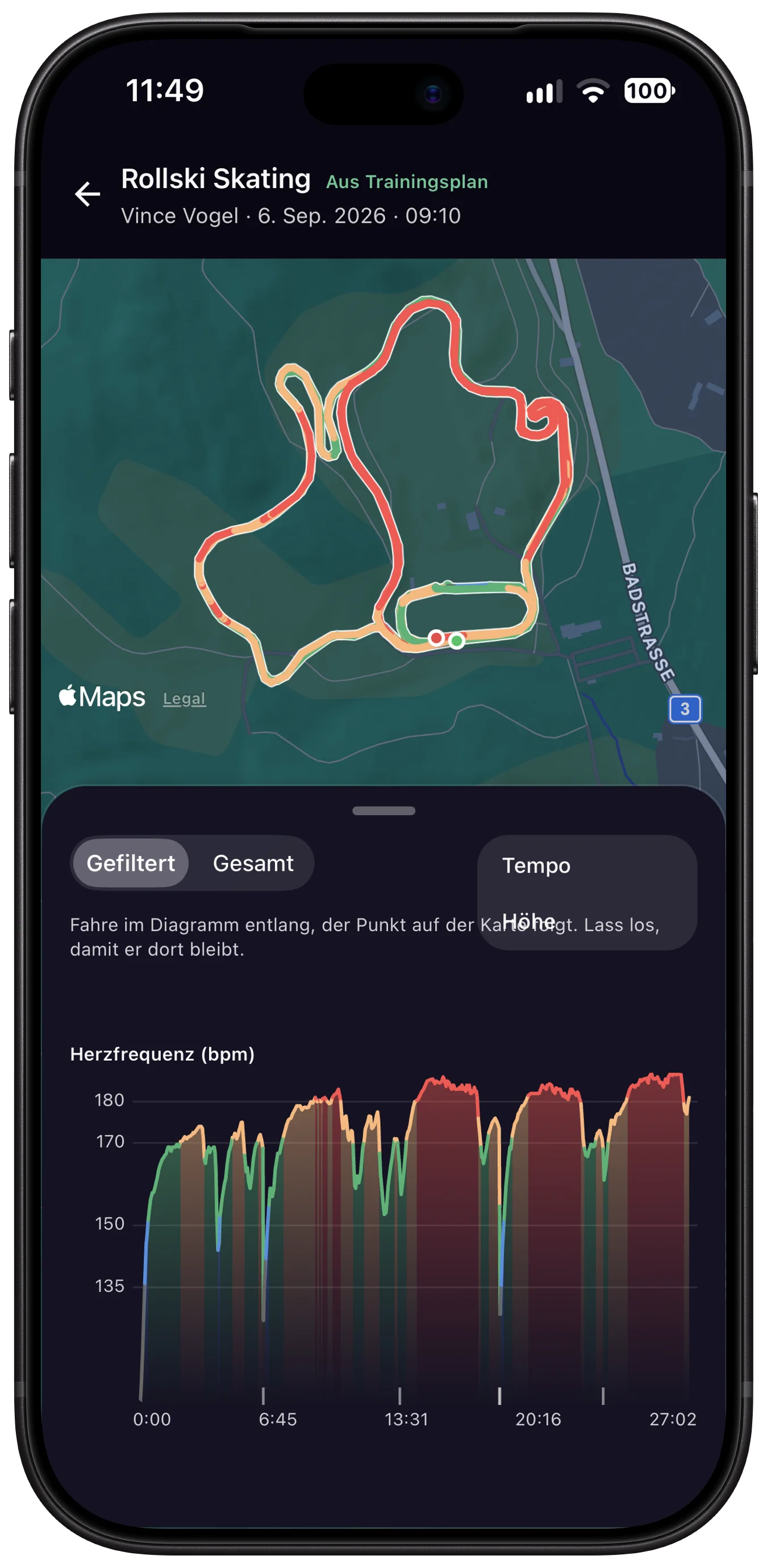
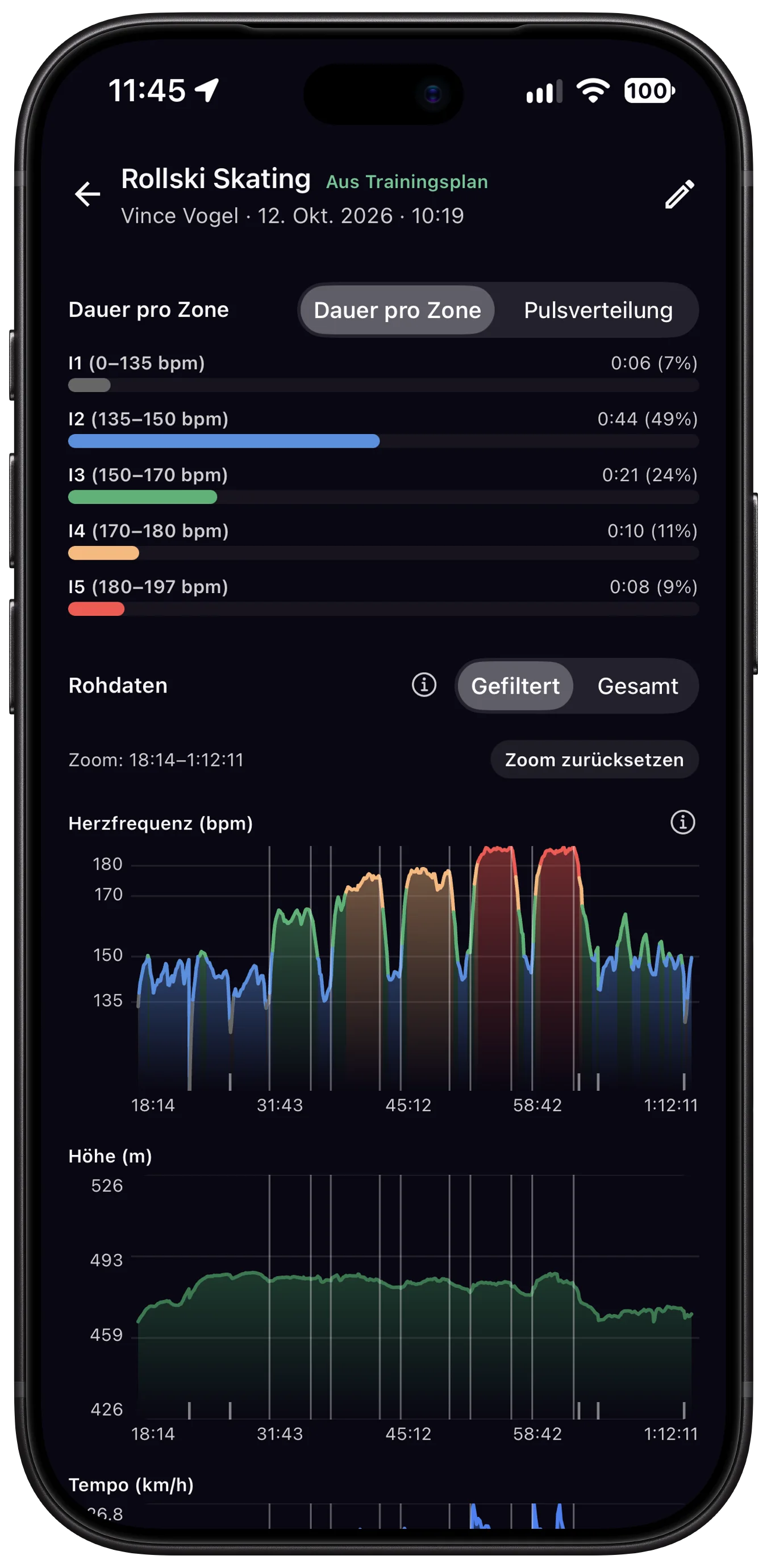
Heart rate in zones, pace, altitude and power as charts, laps you can edit, lactate per lap, and the route on the map. Tests like a lactate step test or an uphill test are saved with place and altitude.
- Altitude training above 1,500 m is marked automatically
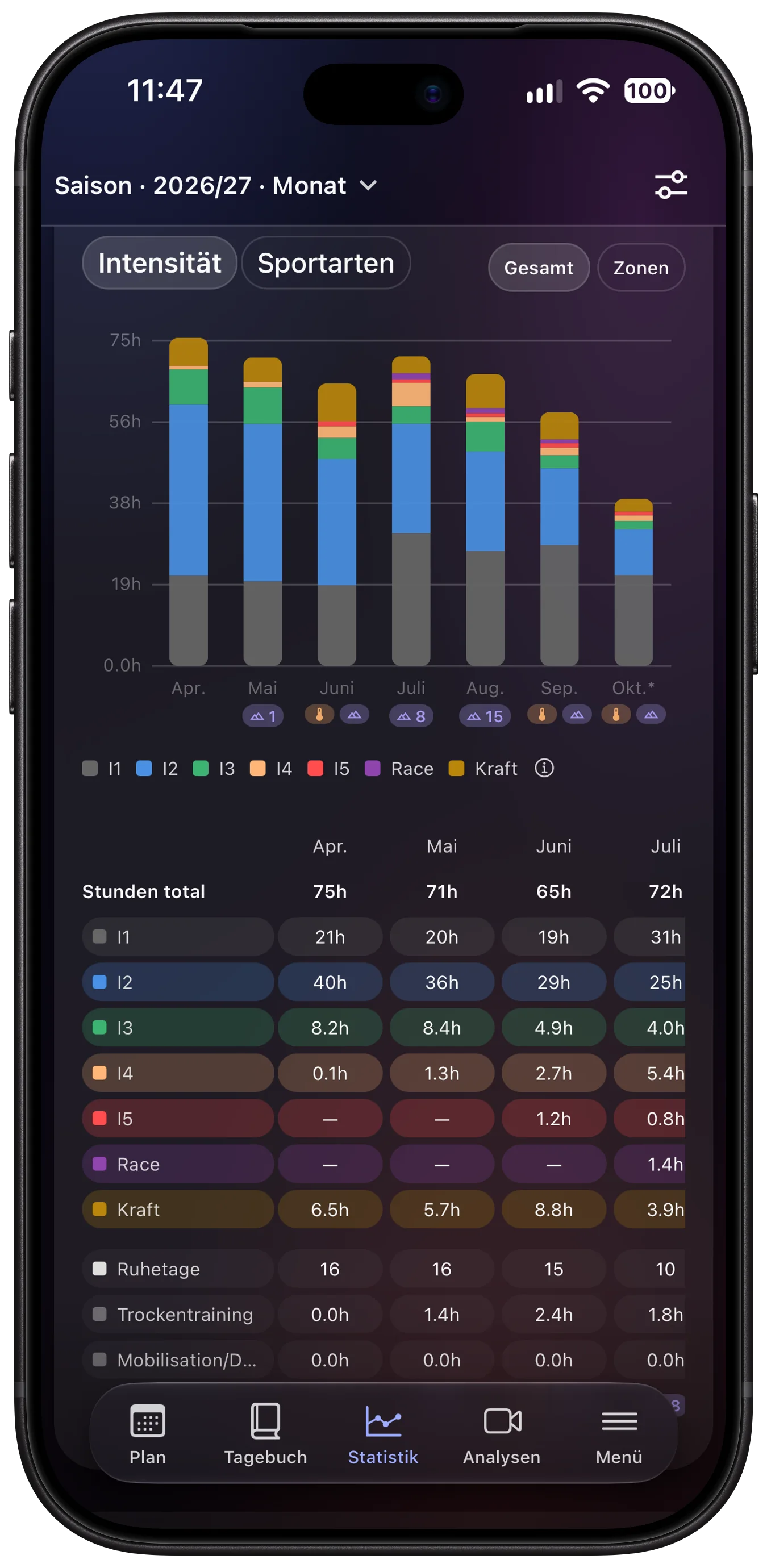
- Statistics across your whole history: volume, zones, strength, shooting, load, recovery
- Compare periods and seasons directly
Built for coaches from the start.
One athlete or a whole team: write plans from templates, follow sessions, film technique and give feedback, all in the same place as the training itself.
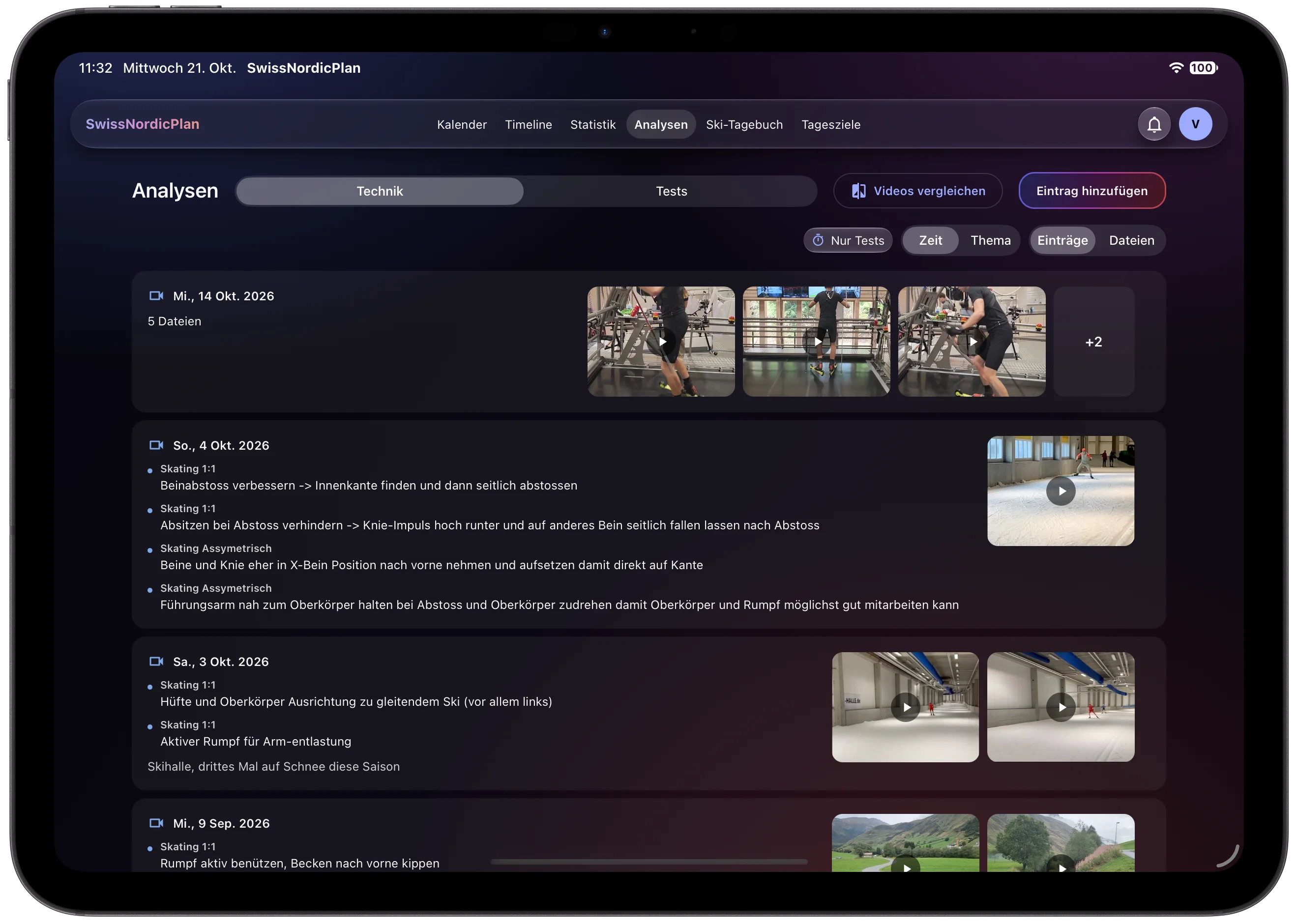
Film, assign, done.
You film right in the app, in slow motion too. Then you pick the clips, tap the athletes and add your notes. One tap on Save shares everything: every athlete gets their own analysis on their phone right away.
- Upload several clips at once and share them with one tap, with single athletes or the whole team
- Slow motion up to 240 frames per second, step through frame by frame
- Notes for each athlete, plus one comment for everyone
- Compare two clips side by side, at the same speed
- Athletes reply or confirm with "Understood"; everything sorted by topic on the Analysis page
Team templates
Write a plan once and copy it to several athletes. Individual changes are kept.
Weekly summary
Every athlete's week at a glance, plus notifications for a low Feeling or a missing diary.
Feedback on the session
A short exchange right on the session, with a push notification on both sides.
Clear roles: coaches write plans, the diary stays yours.
Everything that goes with everyday training.
Ski diary
Ski tests with conditions and rankings, and which ski ran best on this snow.
Journal
Recovery, sickness, injury and medication per day, visible in your statistics.
Daily Goals
Habits like dry shooting or mobility, with a weekly streak instead of daily pressure.
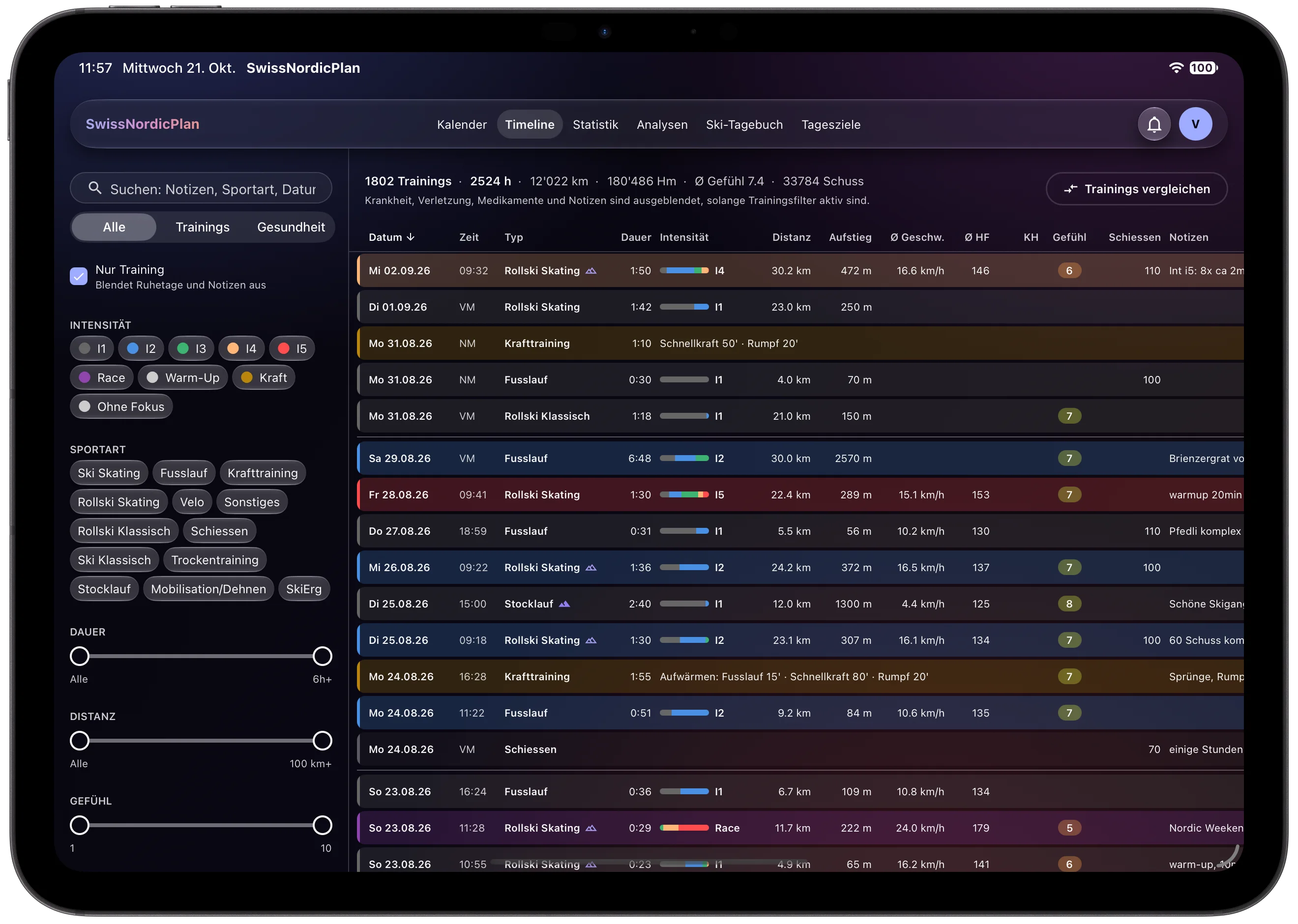
Timeline
Every session and entry as one searchable list.
Read offline
Calendar and diary even without signal at a training camp.
German & English
Both languages in full, light and dark mode.
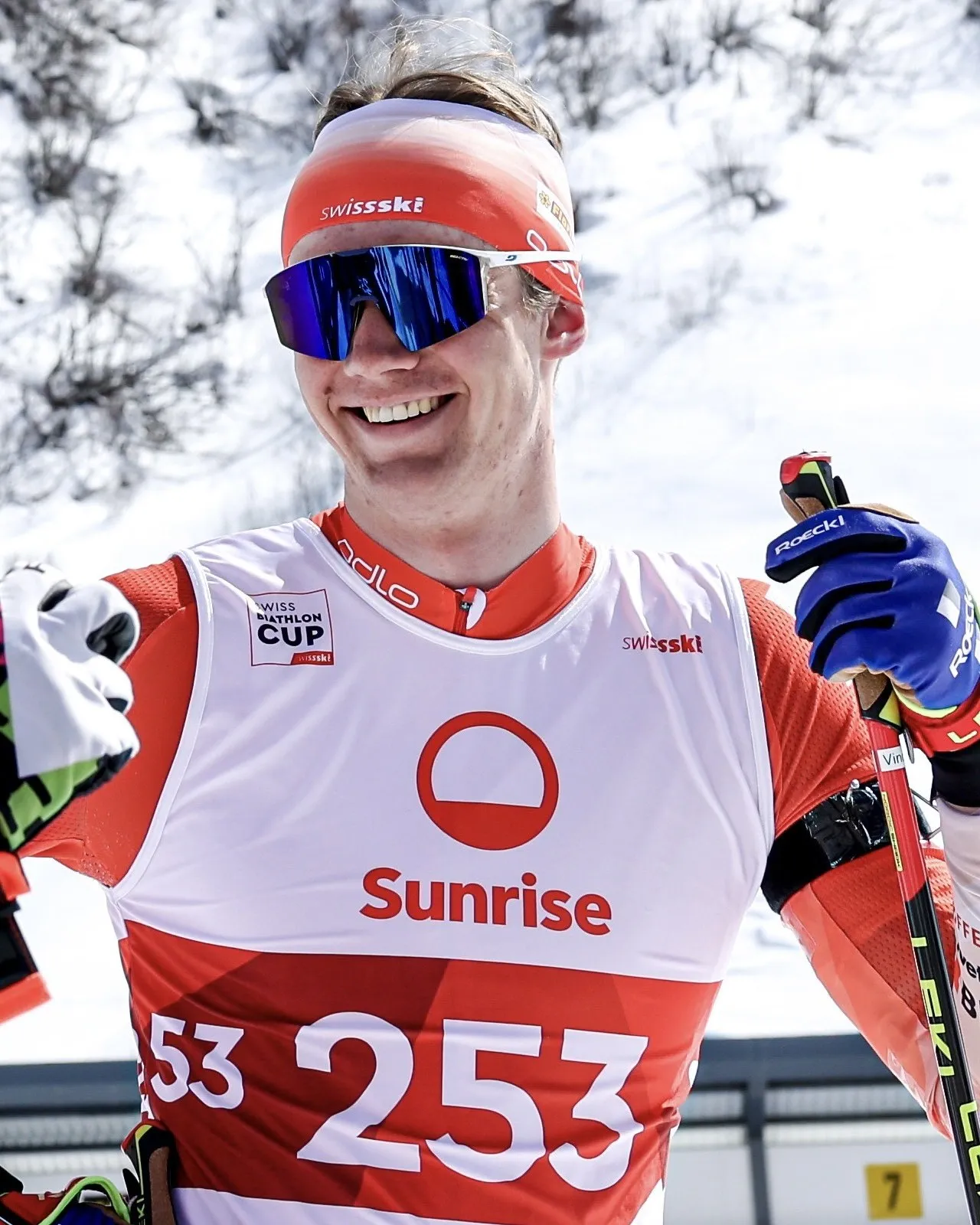
“I use SwissNordicPlan every day for my own training. When something is missing or gets in the way, I notice it myself and build it.”
SwissNordicPlan isn't made by a big company. I build it myself and shaped it with a lot of feedback from athletes and coaches. Ideas, feedback and problems go straight from the app via "Help & feedback". They reach me, and you get an answer.
Vince Vogel · Biathlete, Swiss-Ski · Obwalden
Your data belongs to you.
What exactly happens with your data is set out in the privacy policy.
Stored in the EU
The database runs in Frankfurt.
No ads, no selling of data
Your training data is never sold or used for advertising.
Export at any time
Download all your data with one click.
Delete at any time
Your account and all files are removed completely.
You decide who sees what
Coaches see the period they coach you. Older data only if you share it.
Run by a real person
I run SwissNordicPlan myself and I'm here for questions, problems and feedback.
Questions, problems or feedback? Write to me: contact@swissnordicplan.com
In the browser, on iPhone, iPad & Android.
One account, the same data on every device. You test the iPhone app through TestFlight and download the Android app as a file; you get the links once your access is approved.
Common questions
How do I get access?
Use "Request access". I review every request myself, and you get an email with a link to create your account in a minute. If your coach sent you an invitation, you don't need to request access.
Do I need Strava?
No. You can enter everything by hand or upload files from your watch. With Strava, it simply happens automatically.
Which watches work?
Any watch that uploads to Strava or exports FIT, GPX or TCX files, such as Garmin, Polar, Suunto, Coros or Apple Watch.
Can my coach join without a club?
Yes. Private coaching works with an invitation, without any team or organization.
I log my training in Excel. Can I switch?
Yes. You can import an Excel training diary in TTB format. For other formats you can request an import in the app.
Is there an Android app?
Yes. You get the Android app as a file to download; I send you the link once your access is approved. When you install it, Android asks once whether to allow apps from this source. Everything also works in the browser.